Driver License & ID Scanner
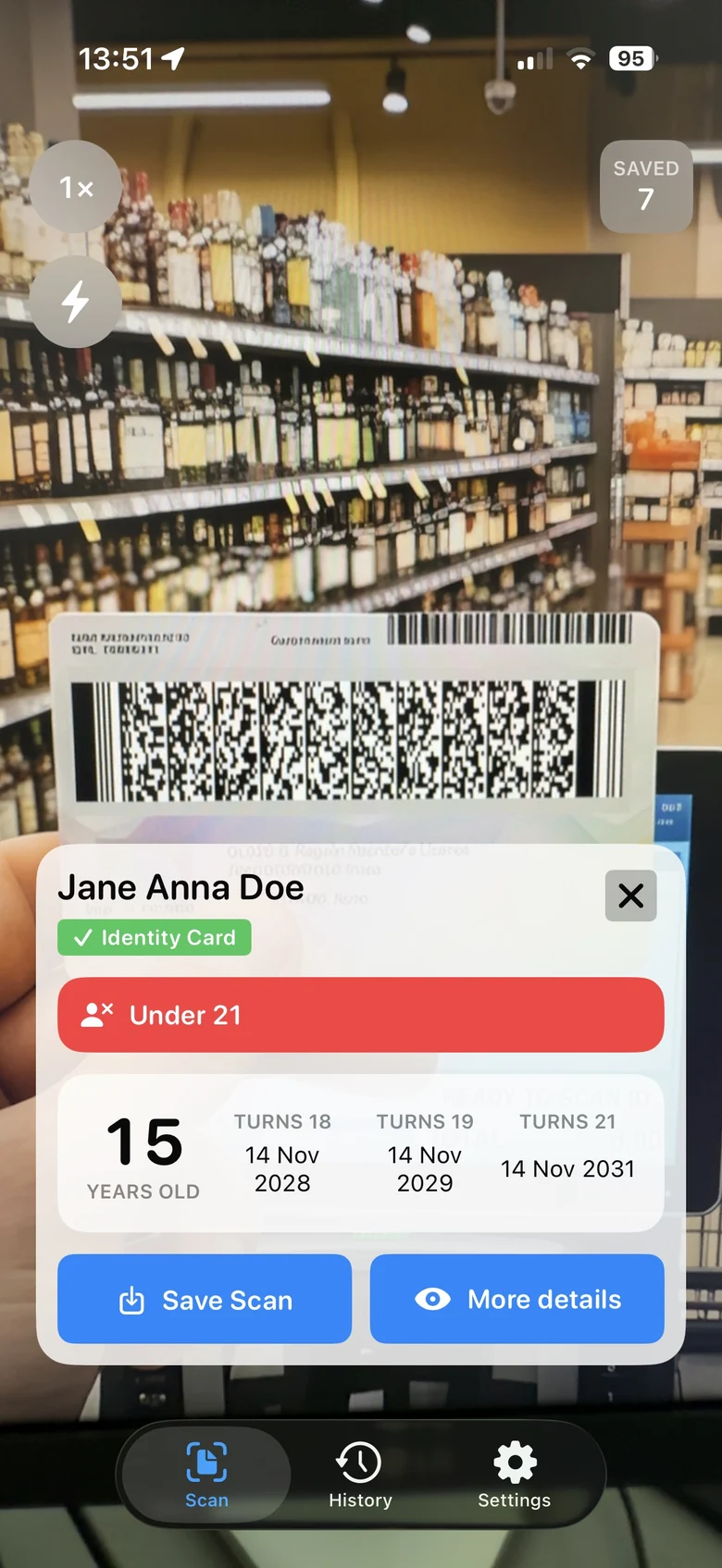
PDF417 barcode
Barcode on the back of the card for the app to scan.
Saved counter
Shows how many documents you have saved.
Name and document type
Read from the barcode. A valid card shows a green check.
Underage Warning
Displayed when the cardholder is under the configured age limit.
Age
Calculated from the date of birth.
Turns 18, 19 and 21
The dates when the holder reaches each age.
Save Scan
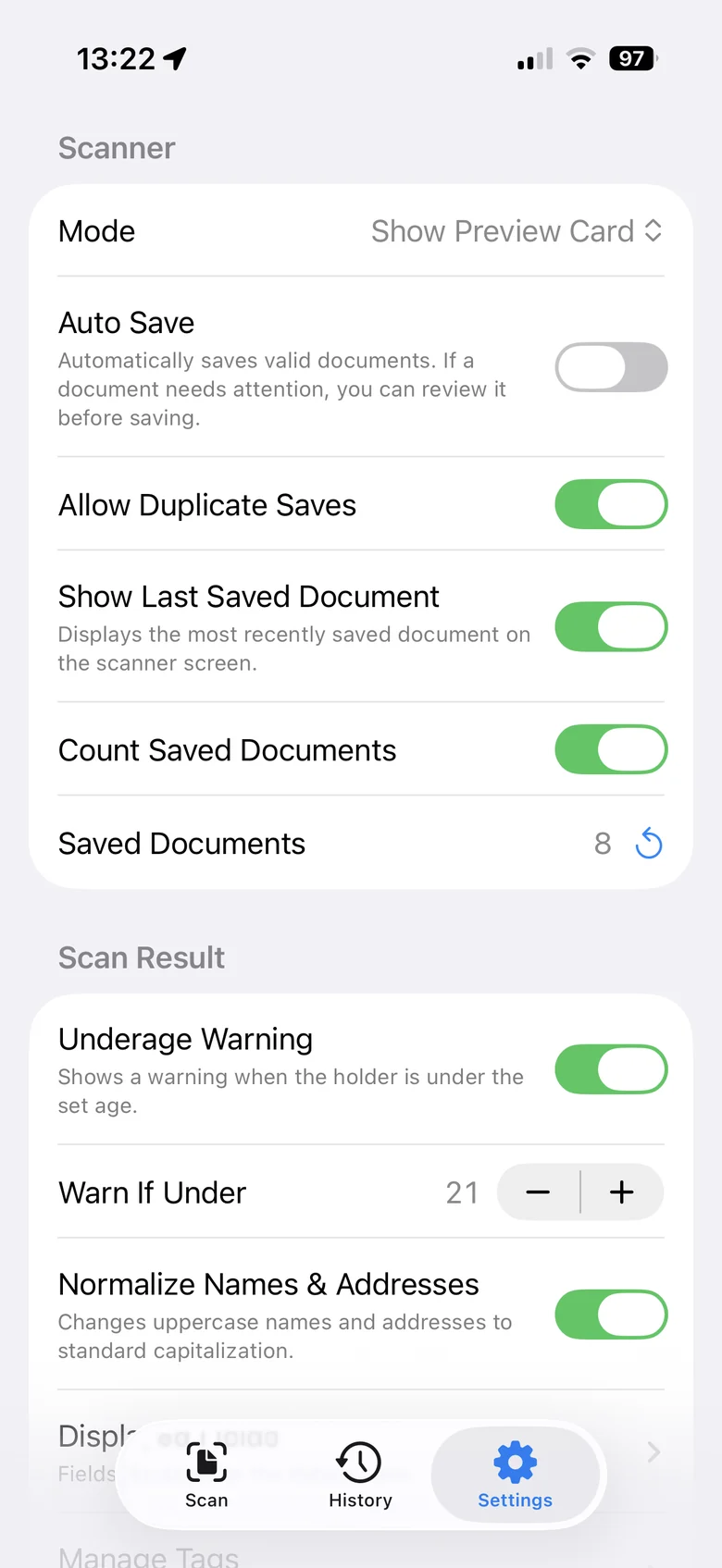
Choose whether to save the ID, or enable "Auto Save" to save it automatically.
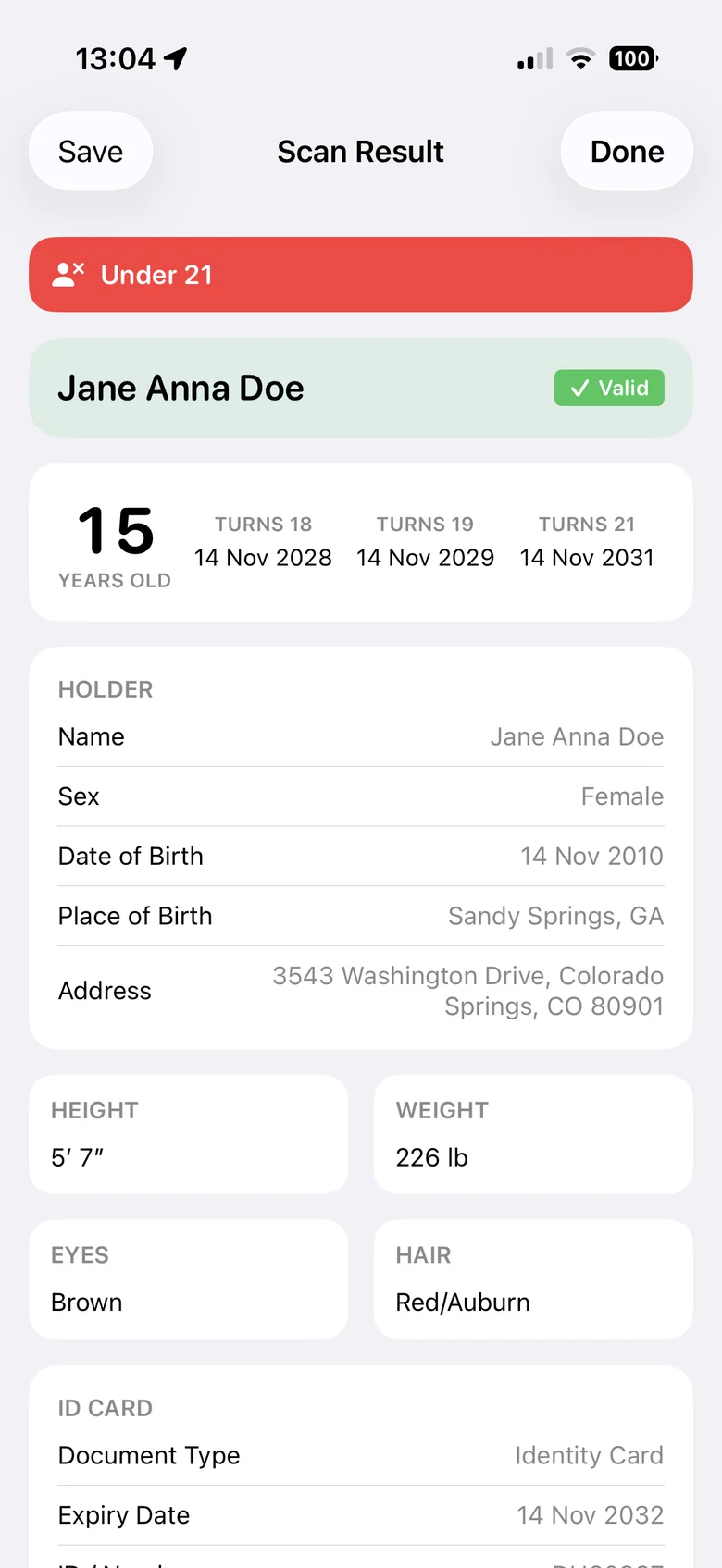
More details
Shows all data stored in the barcode.
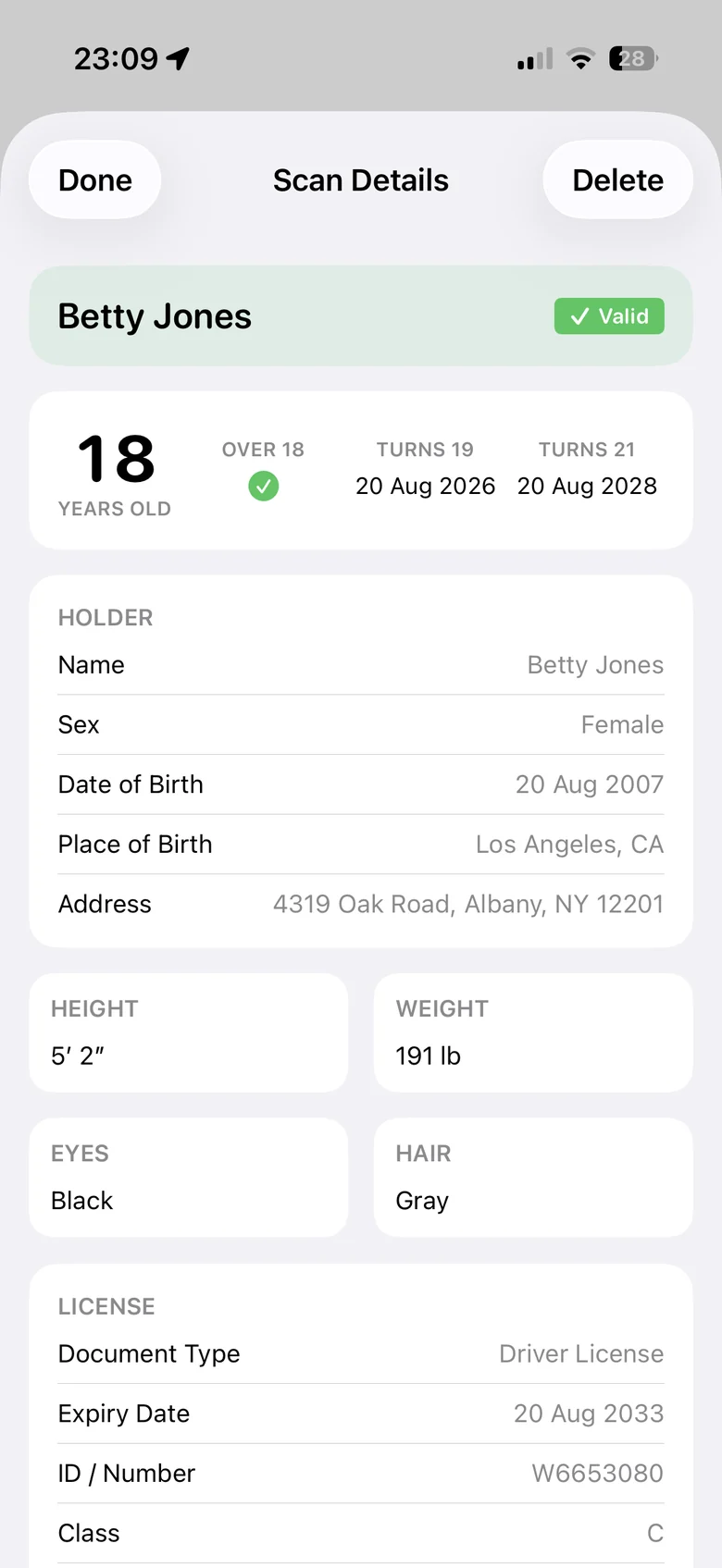
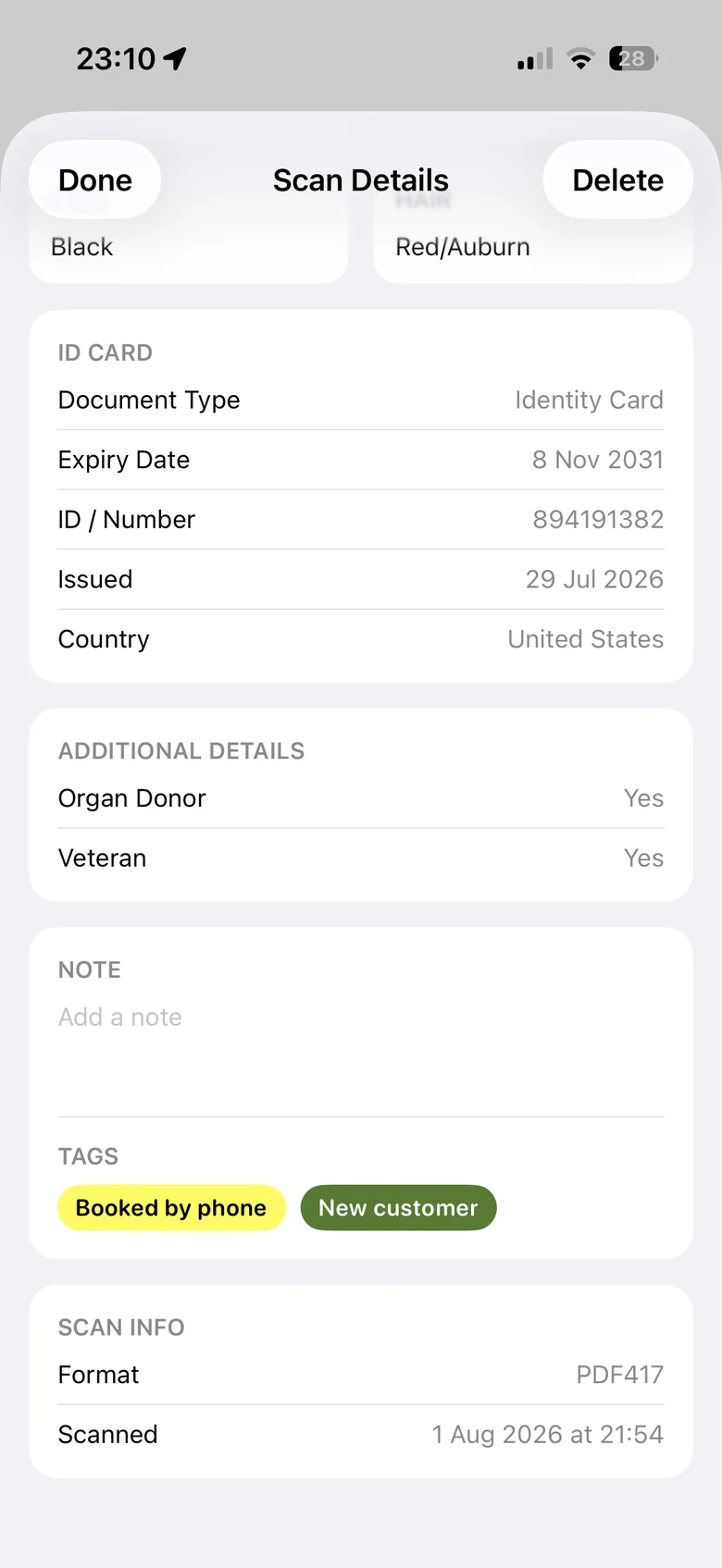
Scan Details lists every field the issuing state or province encoded. You can also add your own notes to saved scans and organize them with tags.
Available fields vary by issuer.
Built for anyone who checks IDs at a counter or a door: liquor and convenience stores, bars and venues, tobacco and vape shops, car rental desks and hotels. It’s also a quick way to see what your own card actually contains.
No extra hardware. Dedicated ID scanners are one more device to buy, mount and maintain. This app uses the iPhone camera, so anyone on staff with an iPhone can check an ID.
No cloud. Many verification services upload document data to their servers. This app works 100% offline: the barcode is decoded on the phone, and the app never downloads or sends any data.
No account, no subscription. There’s nothing to sign up for and no monthly fee. It’s a one-time $9.99 purchase, and the download is under 5 MB.
No. Decoding happens on the phone, so it works the same with or without Wi‑Fi or cellular data.
It flags barcodes with invalid or inconsistent data. A good fake can still carry a correctly formatted barcode, so the card itself still needs a look.
Only if you want them to be. A scan is stored when you tap Save Scan, or automatically when Auto Save is turned on in Settings.
When Auto Save is enabled, each valid scan is saved automatically, and a brief “Saved” message appears on the screen.
The app does not automatically save a scan if the card has expired, the holder is below the minimum age set in Settings, some information is missing or unreadable, or the document has already been saved.
In these cases, a warning appears in the scan result, allowing you to decide whether to save it manually.
Name, date and place of birth, address, sex and physical description, plus the document number, class, and issue and expiration dates. The exact set depends on the issuing state or province.
Yes. Scan Details shows every field in the barcode, including some that aren’t printed on the card.
Passports, IDs from outside the U.S. and Canada, and any card without an AAMVA-compliant PDF417 barcode. Some older cards use earlier versions of the standard and may not decode.
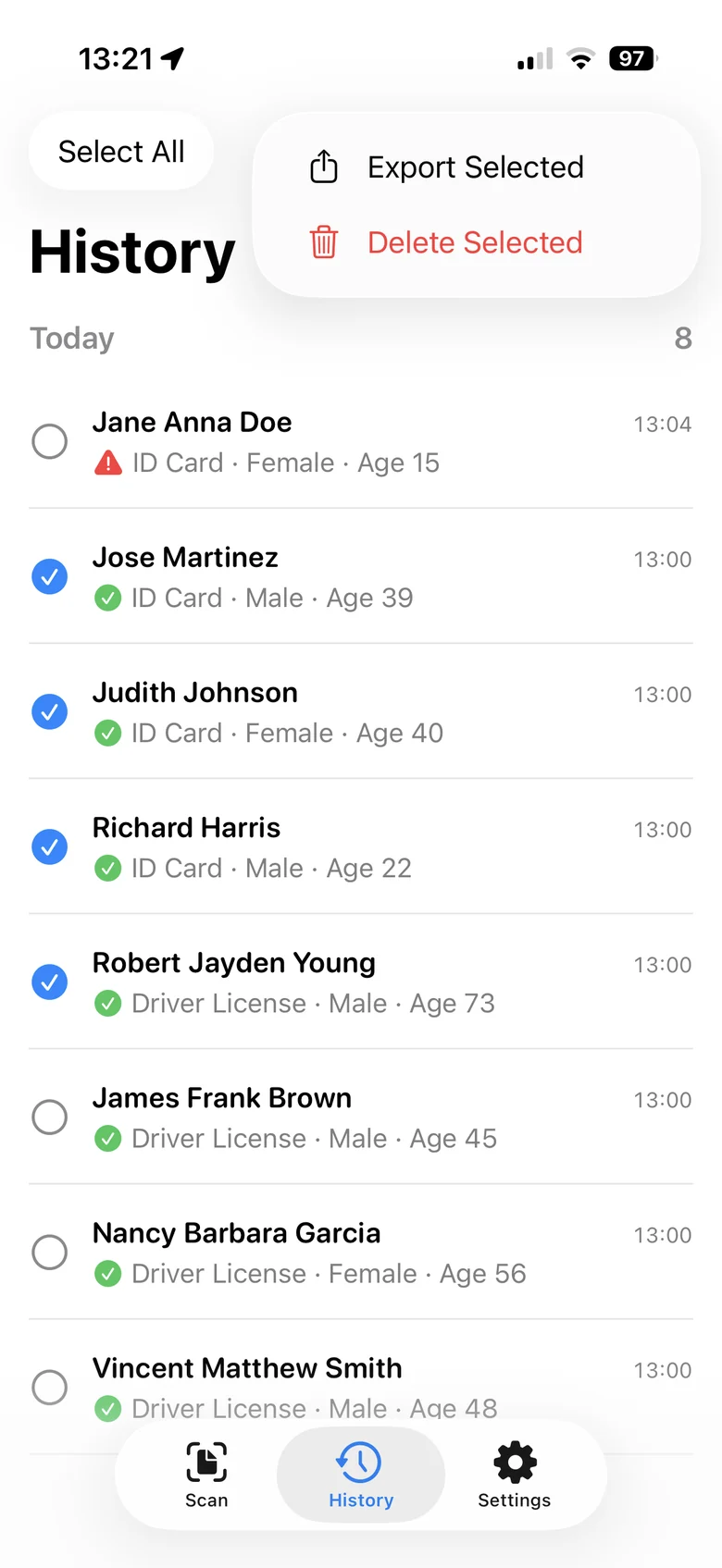
Yes. Saved scans land in History, grouped by day, and the counter on the scanner shows the running total. Select the scans you need and export them as a CSV file.
No. It’s a one-time $9.99 purchase.
Questions about the app, or a feature you’d like to see? Send us an email.